

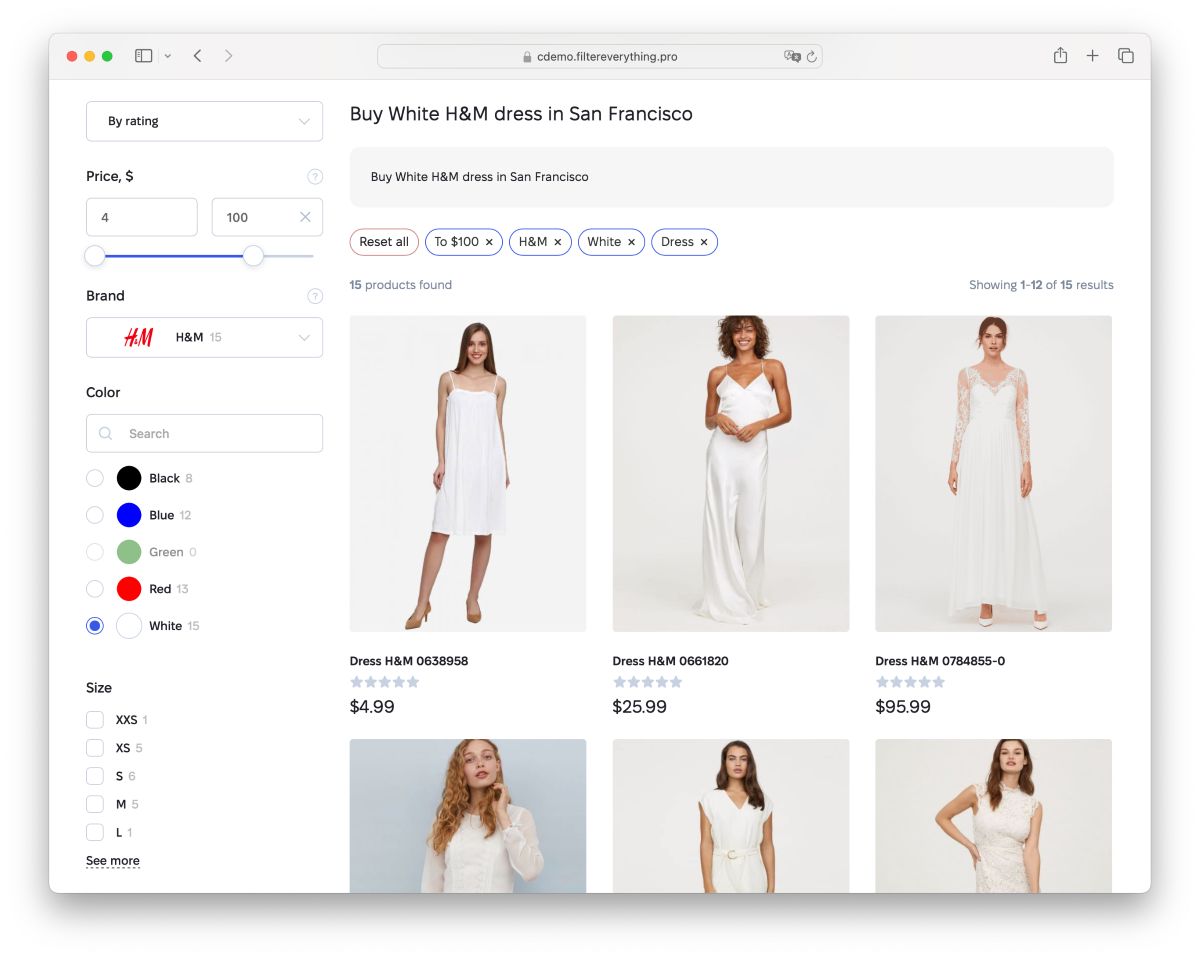
If you’re hunting for the best WordPress filter plugin in 2026, Filter Everything PRO should top your list. This plugin turns any site into a smart, searchable hub where visitors actually find what they’re looking for – fast.
I’ve spent the last 15 years helping publishers, shop owners, and creators build WordPress sites that don’t just look good but actually work for real people. One problem keeps showing up: visitors bounce because they can’t narrow down results. A big product catalogue, a recipe archive, or a property directory turns into a mess without proper filters. Filter Everything PRO fixes that completely.
What Makes Filter Everything PRO Different
The plugin does exactly what its name promises. It lets you filter any kind of WordPress content without headaches. You can set up filters for products, blog posts, custom post types – you name it.
It handles taxonomies like categories and tags, custom fields from tools like ACF, post authors, dates, prices, colours, sizes, brands, and even ratings. The free version already covers most basic needs on archive pages. But the PRO version opens the door to serious power.
With PRO, you filter custom queries, grids built in Elementor or other page builders, and even singular pages. That means you can drop filters anywhere – shop pages, blog categories, real estate listings, car sales – without rewriting your theme or hiring a developer.
Visitors Find Stuff in Just 2-3 Clicks
Think about the last time you shopped online and got frustrated scrolling through hundreds of items. Good filters change that.
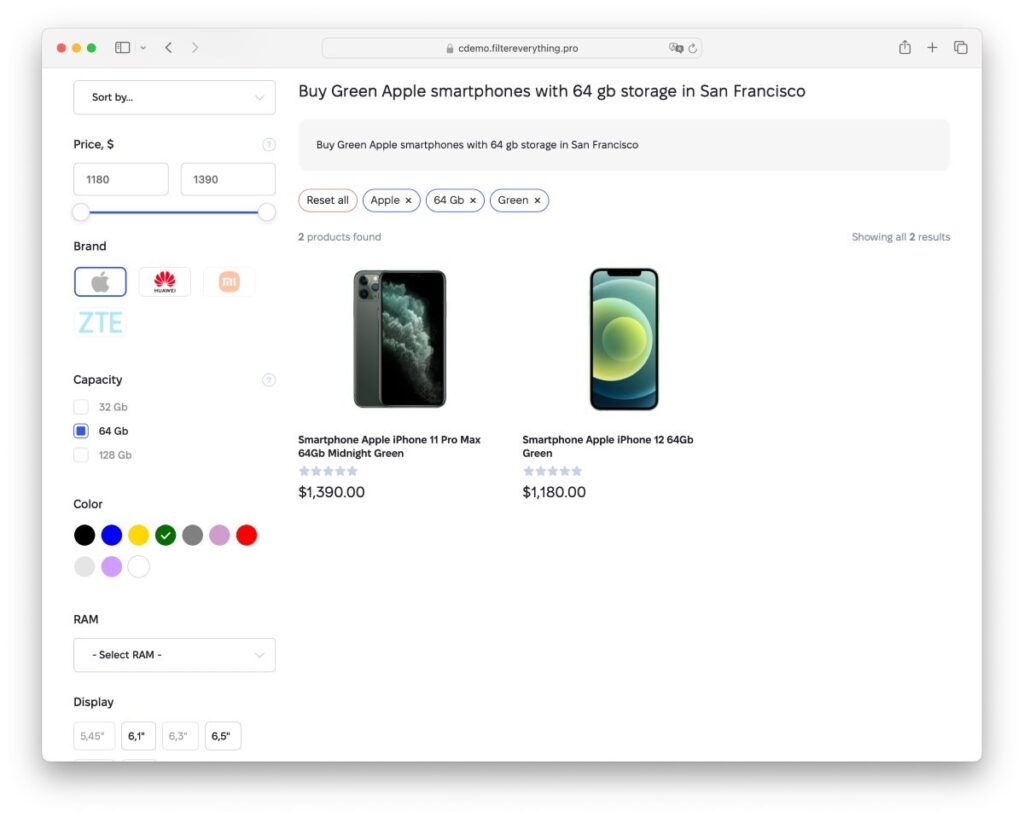
Filter Everything PRO lets people pick options and see results update instantly. They click a colour, a price range, a location – boom, the page refreshes with exactly what matches. Most users land on the right item after just a couple of clicks.
That quick experience keeps people on your site longer. They explore more, trust your store more, and buy more. For content sites, it means readers actually read the articles that matter to them instead of giving up and leaving.
More Traffic and Better Conversions
Search engines love sites that feel organised and helpful. Filter Everything PRO creates clean, indexable URLs for every filter combination – like `/color-red/size-large/` or `/location-miami/price-under-300k/`.
Those pages can rank for long-tail searches that your competitors miss. One client I worked with saw organic traffic jump 40% after adding smart filters to their used-car listings. Visitors searched Google for “red Toyota under $15k in Texas” and landed straight on a filtered page that felt custom-built for them.
Conversions climb too. When someone finds the perfect product or article right away, they’re way more likely to add to cart, sign up, or share the page.
Works With Whatever You Already Have
This is where a lot of plugins fall short. They force you to rebuild your site around them.
Filter Everything PRO doesn’t do that. It works with any theme. It plays nice with Elementor, Divi, Oxygen, Bricks, and every other major page builder. You can even hook it into custom WP_Query loops without touching code.
No rebuilding. No fighting with your design. You just install it, create a filter set, and drop it on the page with a widget or shortcode. Done.
It supports AJAX, so the page doesn’t reload every time someone clicks a filter – smooth and modern. Mobile users get a clean pop-up filter that slides up from the bottom. Everything stays fast and responsive.
Perfect for All Kinds of Sites
I’ve seen this plugin shine in various and distinctive setups:
– Online stores: Filter WooCommerce products by attributes, price, stock status, ratings, or even custom specs like battery life for electronics. Smart variation filtering means you never show out-of-stock options.
– Recipe blogs: Let readers filter by ingredients, cooking time, dietary needs, or difficulty level. One food blogger told me her average session time doubled after adding these filters.
– Real estate directories: Price, location, bedrooms, property type – visitors build their dream home search in seconds.
– Car marketplaces: year, make, model, mileage, fuel type. The filters feel as good as big dealer sites.
– Job boards or event listings: location, salary range, experience level, date.
– Custom directories: Anything you can dream up with custom post types.
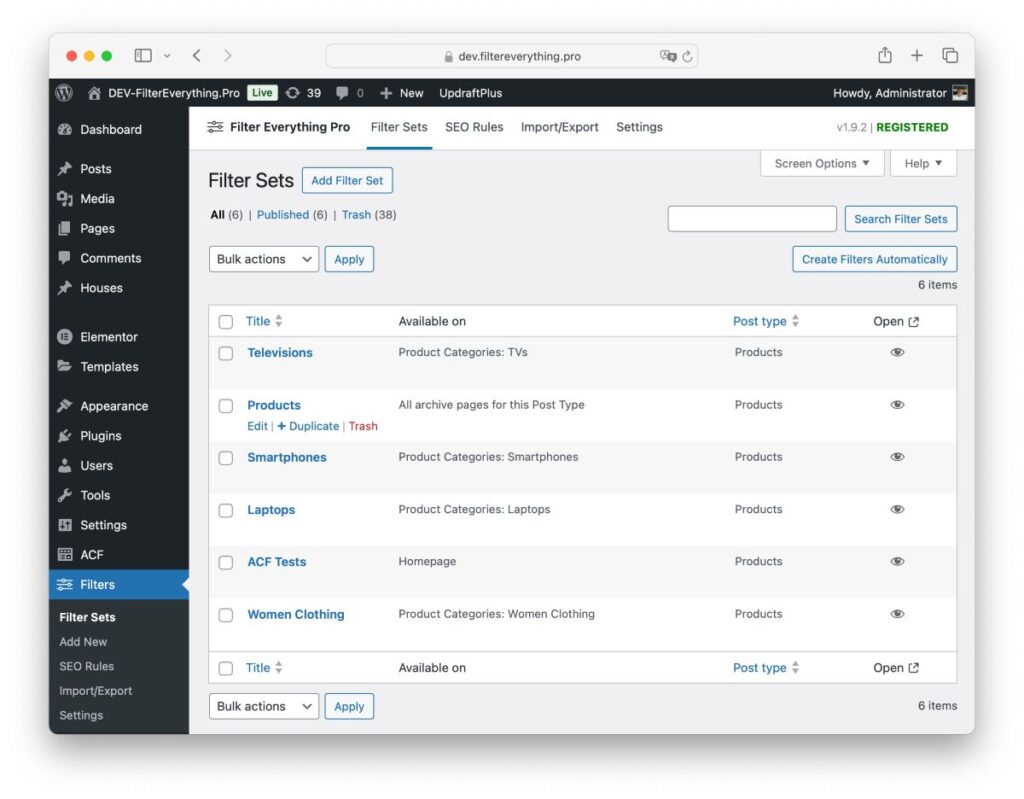
The plugin even lets you create separate filter sets for different pages. Your shop gets one set of filters, your blog category gets another, and your “Featured Properties” page gets its own. Total control.
Features That Actually Matter
– Colour swatches and images: Show real product colours or brand logos instead of plain text.
– Step-by-step filtering: Start broad, then narrow down – like picking a category first, then seeing only relevant attributes.
– Auto-apply or button mode: Choose what feels right for your visitors.
– Hide empty filters: No more showing options that have zero results.
– SEO tools: Set custom titles, meta descriptions, and H1 tags for filtered pages so they rank better.
– Sorting widget: Let people sort by price, popularity, newest, or whatever you want.
– Keyword search: Built right into the filters.
And the code stays clean and lightweight. Your site stays fast even with thousands of products or posts.
How Easy Is It to Set Up?
Honestly, stupidly easy.
1. Install the free version from the WordPress plugin directory to test it out.
2. Buy PRO from the official site or CodeCanyon (around $49 a year last I checked – worth every penny).
3. Go to the Filter Sets section and create your first one.
4. Add filters – pick what you want to filter by, tweak the labels, and choose a layout.
5. Drop the widget or shortcode where you want it.
That’s it. Most people have a working filter system in under 30 minutes.
I helped a small real estate agency last month. They had a basic theme and no developer. We had beautiful filters on their property archive by lunchtime. Their phone started ringing more the same week.
Why It Stands Out in 2026
WordPress sites keep getting more complex. People expect Amazon-level filtering even on small blogs and local shops. Most free plugins stop at basic category filters. Premium options often feel bloated or break with the latest page builders.
Filter Everything PRO hits the sweet spot. Powerful enough for big sites, simple enough for beginners. Regular updates keep it compatible with the newest WordPress, WooCommerce, and major plugins. The developer actually listens to users – recent updates added better rating filters and mobile improvements based on real feedback.
Should You Get It?
If your site has more than a handful of posts or products and you want visitors to stick around and convert, yes.
Start with the free version to see how it feels. If you need filters on custom pages, AJAX everywhere, or those SEO-boosting URLs, upgrade to PRO. You won’t look back.
I’ve tested dozens of filter plugins over the years. This one consistently delivers the best mix of power, speed, and ease. It just works.
Your visitors will thank you. Your analytics will thank you. And you’ll finally stop hearing, “I couldn’t find what I was looking for on your site.”
Ready to make your WordPress content discoverable? Grab Filter Everything PRO and watch how quickly things change.