

People searching for 102+ AI tools in 2026 that turn hours of work into minutes have more choices than ever. Artificial intelligence has settled into daily routines for many workers, students, and small business owners. These tools handle repetitive tasks, spark ideas, or create content quickly. What used to take full days now often wraps up in under an hour. This roundup covers tools across common categories, focusing on ones that get regular updates and good feedback this year.
AI keeps improving fast. Models like those behind ChatGPT, Claude, and Gemini handle complex requests better. Free versions exist for most tools, though paid plans unlock more features. Many integrate with apps you already use, like Google Workspace or Microsoft Office. The key is picking ones that fit your needs without overcomplicating things. Here are over 102 tools grouped by what they do best, with notes on how they help save time.
1. Presentation Tools
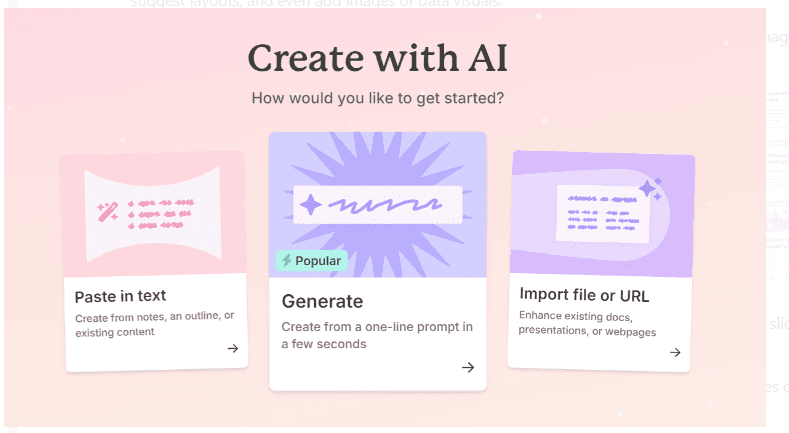
Presentations remain a big part of work and school. AI tools now build slides from simple text prompts, suggest layouts, and even add images or data visuals.
Gamma stays one of the top picks. You type a topic, and it generates a full deck with text, images, and clean design. Edits are straightforward, and it exports to PowerPoint or PDF easily.
Beautiful.ai focuses on smart templates that adjust as you add content. It prevents cluttered slides and works well for teams.
Prezi AI brings back the zooming style but adds AI for outlining and visuals. Plus, AI integrates directly into Google Slides, making it handy if you already use that.
Canva’s Magic Studio handles presentations alongside other designs. Tome creates narrative-driven decks that feel like stories. Alai gets praise for rapid, high-quality outputs with multiple layout options per slide. Visme suits data-heavy presentations with charts. Pitch helps startups with investor decks. Microsoft Copilot for PowerPoint suggests content inside the familiar app.
Other solid options include SlidesAI for quick Google Slides add-ons, Decktopus for themed decks, and Sendsteps for interactive ones. That’s over a dozen just for presentations, and most have free trials.
2. Idea Generation and General AI Assistants
Sometimes you just need help brainstorming or answering questions. These general tools handle a wide range of tasks.
ChatGPT from OpenAI leads for everyday use. The latest versions manage conversations, write code, analyse files, and even generate images.
Claude from Anthropic excels at long-form thinking and safe responses. Google Gemini integrates deeply with Search and Workspace. Microsoft Copilot ties into Office apps. Perplexity stands out for research with sources cited.
Meta AI is free and built into WhatsApp and Instagram. Grok from xAI offers a different tone, often more direct. Poe lets you access multiple models in one place. You.com adds web browsing.
For more focused idea tools, try Phind for developers or Forefront for custom assistants. That’s another 12 or so in this space.
3. Best No-Code AI Website Builders
No-code AI website builders and writing tools have become much more capable in 2026, letting people create professional websites and high-quality content without coding or hiring expensive help. These tools take simple descriptions, keywords, or even rough ideas and turn them into full sites or polished text in minutes. Businesses, freelancers, bloggers, and small startups across the world now rely on them to save time and money.
The shift happened fast. Just a few years ago, AI tools produced basic pages with awkward layouts and generic text. Now they handle responsive design, mobile optimisation, SEO basics, animations, and even e-commerce setup. Many integrate with popular platforms like WordPress, Shopify, or custom hosting. On the writing side, assistants have moved beyond grammar fixes to full drafts, tone adjustments, SEO planning, and conversion-focused copy.
Starting with website builders, Framer AI stands out for speed and modern looks. You type a description such as “clean portfolio for photographer”, and it generates a complete responsive site with good typography and smooth transitions. Most users need only minor tweaks. The tool excels at creative agencies and personal brands that want something stylish without spending weeks in design software.
Dora takes a different path. It specialises in 3D elements and animated interactions. If you need an immersive landing page for a tech startup or creative project, Dora delivers effects that feel premium. The learning curve is a bit steeper than Framer, but the results impress potential clients or investors.
10Web works best for people who already have an existing site or clear vision. It can convert any URL into a WordPress version or build from scratch using AI. One of its strongest features is the built-in AI hosting that automatically optimises speed, security, and backups. Many small businesses choose 10Web because WordPress is familiar and plugins are easy to add later.
For quick landing pages, Unicorn Platform remains a favourite among startups. You describe the product, add a few headlines, and it creates a simple, conversion-focused page in under ten minutes. The templates feel fresh, and the pricing stays reasonable even for growing teams.
Wix ADI still holds strong for beginners. It asks a series of questions about your business type, goals, and preferred colours, then builds a full site. While not as cutting-edge as Framer, it offers reliable e-commerce tools, booking systems, and customer support that many first-timers appreciate.
Durable generates entire websites in seconds, including original copy, images, and contact forms. It targets service businesses like consultants, salons, or local contractors. The output is surprisingly usable right away, and the tool keeps improving its copywriting quality.
Hostinger AI Builder appeals to budget-conscious users. At a low monthly fee, you get a functional site with hosting included. It may not have the flashiest designs, but it delivers everything needed for a basic online presence, including SEO tools and mobile responsiveness.
TeleportHQ bridges design and development. It creates clean code from AI-generated layouts, which is useful for teams that eventually want to hand the site to a developer. Brizy focuses on drag-and-drop ease with strong AI suggestions for blocks and sections. Sitekick rounds out the list with fast one-page sites tailored for product launches or personal profiles.
4. Writing Tools
On the writing side, the landscape looks just as crowded and capable. Jasper continues to lead for marketing teams. It handles long-form blog posts, social media captions, email sequences, and ad copy. The tone control is reliable, and it learns from your brand voice over time.
Rytr offers one of the most affordable plans for long-form content. Writers use it for articles, scripts, and product descriptions without breaking the bank. Writesonic excels at blog posts, Facebook ads, and YouTube scripts. It includes built-in SEO suggestions and plagiarism checks.
Copy.ai shines when you need dozens of variations fast. Input one headline and get fifty options in different tones. Wordtune rewrites existing sentences to make them clearer, more formal, or more casual. Many editors keep it open in the browser for quick improvements.
Grammarly has evolved far beyond red lines under mistakes. It now suggests full paragraph rewrites, tone shifts, and clarity fixes. Sudowrite helps fiction writers push through blocks by generating plot ideas, character descriptions, or dialogue. Anyword focuses on conversion copy, predicting which version will perform best for ads or landing pages.
For SEO-focused content, Frase does deep research and outlines articles around target keywords. NeuronWriter plans detailed structures with heading suggestions and term frequency guidance. Longshot emphasises fact-checked, cited articles, which matters for news sites or educational blogs.
HIX AI and Text Blaze save time on repetitive tasks. Both let you create templates and snippets for emails, comments, or common responses. A quick shortcut inserts polished text without retyping.
These tools have gained traction among young entrepreneurs and content creators. Startups use Framer or Unicorn for quick MVPs. Bloggers rely on Writesonic or Jasper to publish consistently. Freelancers on Upwork choose Rytr or Copy.ai to deliver fast without sacrificing quality.
The biggest advantage is accessibility. You no longer need design degrees or writing teams. A laptop, internet, and a few hours can produce a professional site or a month’s worth of content. Of course, human oversight remains important. AI can miss nuance, cultural context, or brand personality. The best results come when people edit the output.
Pricing varies widely. Some tools offer generous free tiers; others charge monthly from $10 to $100 depending on credits or features. Most provide trials so you can test before committing.
As 2026 moves forward, expect even tighter integration. Builders will add more e-commerce options, and writing tools will improve multilingual support. For now, the options listed above cover most common needs.
Whether you run a small business, freelance, or just want a personal site, these AI tools make the process faster and cheaper than ever. Start with a clear goal, try a couple of options, and see what fits your workflow.
5. Meeting Tools
Remote work in 2026 still relies heavily on good meeting tools and chatbot builders, and the options keep getting better for teams that stay scattered across cities or countries. People need reliable ways to capture what happens in calls without missing important details, and businesses want chatbots that handle customer questions around the clock without hiring extra staff. Here are some of the standout tools in both categories right now, based on what people actually use every day in offices, startups, and even small businesses.
First, let’s talk about meeting tools. These have become almost essential since so many teams never sit in the same room. Otter.ai remains one of the most popular choices. It joins Zoom, Google Meet, or Microsoft Teams calls automatically, transcribes everything in real time, and then creates a clean summary afterward. You can search the transcript for specific words, highlight sections, and share clips with colleagues. Many users like that it works well for English speakers and handles accents reasonably, though it still struggles a bit with heavy non-native pronunciation.
Fireflies.ai does similar work but adds more focus on action items. After the meeting, it pulls out tasks, decisions, and follow-ups into a neat list. It integrates with Slack, Asana, and Salesforce, so notes land right where your team already works. If you’re in sales or project management, this saves time on manual recaps. The free plan covers basic use, but most teams pay for unlimited storage and advanced integrations.
Tldv stands out for teams that record a lot of calls. It captures video and audio, then highlights key moments with timestamps. You can skip through a one-hour meeting in minutes by jumping to the parts that matter. It also creates short highlight reels, which are handy for sharing updates with people who couldn’t attend. The interface feels clean, and it works smoothly on both desktop and mobile.
Krisp handles a different problem: background noise. Whether you’re in a noisy home office, a cafe, or dealing with barking dogs and traffic, Krisp removes it from both sides of the call. It runs in the background and works with almost any app. Users say it’s one of the few noise-cancelling tools that doesn’t make voices sound robotic. The free version gives enough minutes for most people, but heavy users upgrade for unlimited time.
Fathom gives a solid free option. It records, transcribes, and summarises meetings with no time limits on the basic plan. The summaries come out clear and structured, often with bullet points for decisions and next steps. Many small teams stick with Fathom because it doesn’t push hard for paid upgrades unless you need team sharing features.
Noty AI focuses on Google Meet users. It sits inside the meeting and takes notes automatically. You can ask it questions later, like “What did we decide about the budget?” and it pulls the answer from the transcript. It’s lightweight and doesn’t require much setup.
Grain and Fellow both help with follow-ups. Grain lets you clip short video segments from recordings and share them as links. The fellow organises agendas before the meeting and turns notes into tasks afterward. Both tools aim to make meetings more productive instead of just recording them.
Avoma targets sales teams specifically. It analyses calls for talk time, sentiment, and coaching tips. Managers use it to spot patterns, like when reps lose the customer’s attention or miss objections. It’s more expensive, but sales leaders who use it say it improves close rates over time.
6. Chatbot Builders
Now, on to chatbot builders. Custom chatbots have become much easier to set up in the last couple of years. No-code platforms let anyone create bots that answer questions, book appointments, or guide visitors on websites.
CustomGPT lets you train a bot on your own documents, FAQs, or website content. You upload files or point it to URLs, and it learns without any coding. The bot then lives on your site or in Slack, ready to handle common enquiries. Many small businesses use it for customer support because it reduces email volume.
Chatbase works in a similar way. You feed it your knowledge base, and it builds a chatbot that understands your business. It integrates quickly with WordPress, Shopify, or custom sites. Users like the simple dashboard and fast setup.
Droxy goes a step further for advanced needs. It supports more complex conversations, multiple languages, and integrations with tools like Zapier. It’s good for companies that want a bot to do more than just answer questions, like qualifying leads or collecting data.
Botsonic and SiteGPT focus on quick embeds. You can have a working bot on your website in under ten minutes. Both handle product questions well and direct users to the right pages. They’re affordable and scale as traffic grows.
Chatsimple keeps things basic. If you just need a fast, reliable bot for simple FAQs, this one does the job without extra features that drive up costs. Voiceflow adds voice capabilities, so you can build bots for phone calls or smart speakers too.
All these tools reflect how remote work and online business have changed since the pandemic. Teams in Nairobi, London, or New York need the same things: clear notes from meetings and fast answers for customers at any hour. Prices range from free tiers to $20-100 per user per month, depending on features.
Many companies mix tools. A startup might use Otter for internal calls, Fathom for client meetings, and CustomGPT for their website. Larger teams lean toward Fireflies or Avoma for deeper insights. Chatbot choices often depend on the website platform and how much training data you have.
One thing stays consistent: these tools save time. Instead of scribbling notes or typing responses manually, people focus on the actual work. The downside? Some teams still worry about privacy with recorded calls or AI handling customer chats. Most providers offer strong data controls, but it’s worth checking policies before you start.
As we move through 2026, expect more updates. Voice improvements, better multilingual support, and tighter integrations with tools like Notion or Microsoft Teams are already in the works for several of these. For now, the ones listed here handle most everyday needs reliably.
If you’re setting up remote workflows or improving customer service, start with the free trials. Otter, Fathom, and CustomGPT give you a good feel without spending money upfront. See what fits your team best.
7. Best AI Automation
The best AI automation tools, UI/UX design tools, and image generators right now are making real work faster for freelancers, small teams, and even big companies. These tools have matured enough that many people rely on them daily instead of doing everything by hand. I’ve been following this space closely since the big AI wave started in late 2022, and the difference between 2025 and early 2026 is noticeable. Prices dropped in some cases, quality jumped, and integration got smoother.
Let’s start with automation tools. These are the ones that connect different apps so you don’t have to copy-paste or switch tabs constantly. Zapier remains the most popular choice. It links thousands of apps and now includes solid AI steps that let you summarise emails, classify leads, or rewrite messages automatically. The free plan still works for light use, but most serious users pay for the Starter or Professional tier. Many find Make.com (which used to be called Integromat) gives more power for less money. The interface feels cleaner, error handling is better, and you can run complex multi-step flows without hitting limits as quickly.
Bardeen stands out for browser automation. It lives inside Chrome and can scrape data, fill forms, or click through websites on command. You teach it once, then run it with a shortcut. People who do a lot of LinkedIn outreach or research love it. n8n, on the other hand, is completely open-source. You can self-host it on your own server, which matters if you handle sensitive data and want full control. The community keeps adding nodes, so almost any service ends up supported eventually.
For AI-heavy decisions inside workflows, Levity is gaining traction. You feed it examples of customer messages, invoices, or support tickets, and it learns to route them or tag them correctly without you writing rules. Xembly handles the boring side of scheduling. You email it something like “Find a time next week with Sarah and the marketing team,” and it checks calendars, books the slot, and sends invites. Relay and Tray.io target bigger companies that need enterprise-grade security, audit logs, and team permissions.
8. UI/UX Design Tools
Now onto UI/UX design tools. AI has changed how designers start projects. Uizard lets you draw rough sketches on paper or tablet, snap a photo, and it turns the sketch into editable wireframes. You can also type a description like “mobile app login screen for a fitness tracker”, and it generates options. Galileo AI works purely from text prompts and creates high-fidelity layouts that look ready for Figma. Figma itself rolled out more AI features in 2025. You can now remove backgrounds with one click, suggest colour palettes that match brand guidelines, or auto-generate component variations.
UiMagic builds entire interfaces from a single prompt. You tell it the app type, target users, and key screens, and it delivers a full set of pages. Visily and Anima focus on turning ideas into clickable prototypes quickly. Designers use them early in the process to test flows with clients before investing hours in pixel-perfect work.
9. Image Generators

Image generators round out the list. Midjourney still sits at the top for artistic quality. You run it through Discord, type detailed prompts, and get results that look like professional illustrations or photos. The latest version handles complex scenes and lighting very well. DALL-E lives inside ChatGPT, so you can generate images in the same conversation where you’re brainstorming. That workflow feels seamless for many. Google’s Gemini also creates images now and does a good job with realistic people and hands.
Flux, developed by Black Forest Labs, became a favourite in late 2025 for accuracy, especially when you need legible text inside images. Ideogram excels at the same thing—logos, posters, and book covers with clear words. Leonardo.ai gives you tonnes of style presets and strong editing tools. You can upload a base image and describe changes, and it follows instructions closely. Adobe Firefly integrates directly into Photoshop and Illustrator. It’s trained on licensed content, so companies feel safer using it for commercial projects. Microsoft Designer offers a free, simple entry point that pulls from DALL-E models. Fotor and Leap AI handle quick edits and upscaling, useful when you need to fix old photos or prepare assets for social media.
All these tools save hours. A solo marketer can automate lead sorting with Make.com, mock up landing pages with Uizard, and create social graphics with Midjourney in one afternoon. A small design agency uses Figma’s AI to speed up revisions and Firefly to generate stock-like assets without licensing headaches. Larger teams lean on Tray.io for secure integrations and Leonardo.ai for consistent branded visuals.
The field moves fast. New models drop every few months, and tools update almost weekly. Prices range from free tiers to enterprise plans that cost hundreds per month. Most offer trials, so testing makes sense before committing. Privacy is another factor. Self-hosted options like n8n keep data in-house, while cloud services like Zapier and Midjourney store prompts and outputs on their servers.
In early 2026, the practical side of AI feels more real than the hype phase of 2023. These tools aren’t magic. They still need good prompts, review, and sometimes tweaking. But for repetitive tasks or starting creative work, they deliver results that would have taken days before.
10. Top AI Video Generation Tools
AI video generation tools have exploded recently, offering creators ways to turn text, images, or short clips into realistic videos without traditional filming. As of January 2026, tools like Kling AI, Runway, OpenAI’s Sora, Google Veo, and Luma Dream Machine lead the pack for high-quality output, with Kling often praised for photorealistic motion and physics, while Runway excels in editing workflows. These advancements make it possible for marketers, filmmakers, and everyday users to produce cinematic clips in minutes, shifting video creation from expensive shoots to accessible desktop or cloud work.
The field moved fast in late 2025 and early 2026. Models now handle longer scenes, better lighting, natural movement, and even native audio in some cases. Kling AI stands out for expressive human actors and up to two-minute videos at 1080p, making it a go-to for detailed animation. Users say it beats older tools in understanding how objects interact, like water pouring or hair moving in wind. Runway, with its Gen-4 or later models, gives strong creative control through features like motion brushes, where you select parts of an image to animate. It suits filmmakers who want to direct the AI closely, with solid image-to-video and 4K upscaling.
OpenAI’s Sora 2 continues to impress for realistic storytelling and coherent long shots. It models physics well and adds emotional depth, though access remains limited with waitlists. Google VEO 3.1 integrates into tools like Gemini for story-driven production, often with cinematic presets and camera controls. Luma Dream Machine focuses on fast, dreamy aesthetics, great for quick prototypes or ads, with good UI and 4K options through Adobe Firefly integration.
HeyGen specialises in avatar videos, turning scripts into talking-head content with lip-sync in many languages. It’s popular for business explainers or training materials. Pika Labs 2.0 handles playful, short social clips well, with remixing features for memes or quick edits. Tools like Opus and Klap take long videos and turn them into shorts automatically, which is useful for repurposing YouTube content. Eightify summarises videos fast, helping creators pull key points without watching everything.
Beyond pure generation, editing features have grown. Runway offers scene expansion, while others add lip-sync or face swaps. Many run on freemium models, with free daily credits for testing and paid plans for watermark-free, higher-res outputs. Kling and Luma give generous trials, while Sora often requires invites.
11. General Design Tools
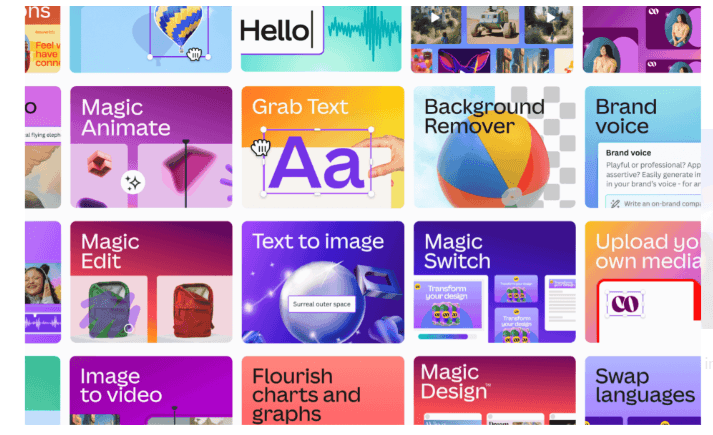
For general design tools that go beyond video, Canva’s Magic Studio remains a favourite in 2026. It removes backgrounds, suggests layouts, generates images, and handles quick graphics for social posts or presentations. Non-designers love the drag-and-drop ease, with AI filling in gaps. Flair AI focuses on product photos, making mockups look professional. Designify edits batches of images fast, and Clipdrop cleans up photos with smart removal tools. In Figma, Magician automates repetitive tasks like layer organisation or component suggestions, speeding up UI work for teams.
12. Prompt Engineering Tools
Prompt engineering tools help get better results from these generators. FlowGPT offers a community library of tested prompts, rated by users for different models. PromptPerfect optimises your text automatically, suggesting refinements for clarity and structure across GPT, Midjourney, or video tools. AIPRM provides a Chrome extension with ready-made prompts for ChatGPT, covering marketing or creative tasks. PromptBox lets you organise and save your own custom ones for reuse.
The current state shows realism as the main win in 2026. Tools like Kling and Veo handle complex physics, while Sora adds narrative flow. Speed has improved too, with sub-10-second clips common and extensions for longer videos. Audio integration grows, though it is not perfect yet. Creators mix tools: generate in Kling, edit in Runway, and add voice in HeyGen.
Challenges remain. Consistency across long scenes can falter, and some outputs still show artefacts. Costs add up for heavy use, and commercial rights vary by tool. Still, free tiers let anyone experiment.
13. AI Productivity Boosters
Productivity tools lead the list because they cut down on repetitive tasks every day. Notion AI is one of the most popular. It lives inside your Notion workspace and can summarise long pages in seconds, suggest headings, rewrite bullet points, or even draft full emails and meeting notes. Many university students and small business owners use it to organise lecture notes or client proposals quickly. The AI feels natural because it understands the context of what you already wrote.
Merlin is another favourite for anyone who spends hours in a browser. It works as a Chrome extension and helps with research, writing replies, summarising articles, or translating pages on the fly.
Reclaim.ai focuses on your calendar. It automatically blocks focus time, reschedules meetings when your day gets full, and protects deep work blocks so you don’t get burnt out. People who run side businesses or work remotely find it helpful because it stops back-to-back calls from eating the whole day. The AI learns your habits over a couple of weeks and gets better at guarding your schedule.
Mem is a smart note-taking app that uses AI to organise everything for you. You type or speak ideas, and it automatically tags, links related notes, and suggests connections you might miss. Many content creators prefer Mem over traditional notes because it acts like a second brain that remembers details across months of work.
Reflect takes journaling to another level. It adds AI prompts to guide daily reflections, tracks mood patterns, and even suggests ways to improve habits based on what you write. Entrepreneurs and professionals who want to stay mentally sharp use it as a private space to think clearly amid busy schedules.
For small, quick file tasks TinyWow remains a go-to. It converts PDFs, compresses images, removes backgrounds, and edits documents online without installing anything.
14. Logo and Branding
When it comes to logo and branding, Looka is very popular in 2026. You type your business name and a few words about what you do, and it generates dozens of logo options plus colour palettes, business cards, social media templates, and even website mockups.
Brandmark takes a different approach. It creates more abstract and unique designs that don’t look like everyone else’s. You answer a few questions about your style, and the AI builds logos that feel custom. Many creative agencies in Westlands and young startups choose Brandmark when they want something that stands out.
LogoAI and Hatchful (from Shopify) are faster and cheaper. They produce solid logos in seconds, with editable files you can download immediately. Hatchful is especially good for people already selling on Shopify because it matches the platform’s style perfectly.
Stockimg.ai helps with related graphics. It generates social media banners, product photos, icons, and illustrations based on simple text prompts. Freelance marketers and small e-commerce sellers use it to create consistent visuals without paying for stock photos every time.
15. Marketing Tools
Marketing tools have improved a lot this year. AdCreative.ai is one of the strongest for making ad visuals and copy. You input your product details, target audience, and tone, and it produces dozens of ready-to-use Facebook, Instagram, and Google ads. Small online shops say it helps them test ideas fast without hiring a designer.
Pencil does similar work but focuses more on video and carousel ads. It pulls from your product photos and creates short clips with text overlays that look polished. Many people running boosted posts find it saves hours compared to manual editing.
Simplified is an all-in-one platform that handles social media posts, blog articles, captions, and even basic video editing. The AI suggests post ideas based on trends, writes captions in Swahili or English, and schedules everything. Content creators who post daily on Instagram and TikTok rely on it to stay consistent.
AdCopy specialises in testing variations. It generates multiple versions of headlines, descriptions, and calls to action, then recommends which ones are likely to perform best based on data from millions of past ads. Digital marketers use it to improve click-through rates without guessing.
These tools work best when combined. For example, freelancers start with Notion AI to plan the week, use Merlin to research competitors, create a logo on Looka, design ads in AdCreative.ai, and schedule posts through Simplified. The cost stays low because most offer free tiers or very affordable monthly plans.
One thing to remember: AI is a helper, not a replacement. The best results still come when you review the output, add your own voice, and make small tweaks. Privacy is another point. Tools like Notion AI and Mem keep data on-device or encrypted, but always check the terms before uploading sensitive client information.
As we move deeper into 2026, expect these tools to get even smarter. New updates arrive almost monthly, adding features like better Swahili support, improved image generation, and tighter integration with WhatsApp Business for local sellers.
For anyone looking to work smarter this year, these AI helpers are worth trying. Start with one or two that solve your biggest daily pain points, then add more as you get comfortable. The difference in time saved and quality of output can be surprising.
16. Social Media Tools, Especially for X/Twitter
Social media tools for X (formerly Twitter) have become essential for anyone serious about scheduling posts, growing their account, or writing better threads in 2026. With the platform still changing under new management, these third-party tools help users stay consistent, find ideas, and save time without breaking the bank. Many now use AI in smart ways that support creators instead of trying to replace them completely.
Let’s start with Typefully, one of the most popular choices for writing threads. Typefully gives you a clean editor that shows how your thread will look when posted. You can write long-form content, add images or polls, and schedule everything in one place. What stands out is the analytics side. After posting, you see exactly which tweets got the most engagement, how far people read down the thread, and what time zones your audience is in. This helps you improve the next one. The tool also has a built-in AI that suggests better hooks or rewrites sentences to sound more natural. Many writers say it feels like having a second pair of eyes without the cost of hiring someone. Typefully offers a free plan with basic features, and the paid version starts around $12 a month.
Next up is Hypefury, which has been around for years but keeps getting better updates. This tool excels at scheduling and recycling old content. You can set up queues so posts go out automatically over weeks or months. The recycle feature takes your best-performing tweets and reposts them at the right intervals, which is great for evergreen topics. Hypefury also has a thread composer and auto-DM options for new followers. One feature people like is the “inspiration queue” that pulls viral tweets from accounts you follow and lets you remix them legally. Pricing is straightforward, with a free trial and plans from about $19 per month. It’s especially useful for creators who post daily and don’t want to think about timing every single tweet.
TweetHunter remains a favourite for finding viral ideas. The tool scans X for trending topics, high-engagement threads, and popular accounts in your niche. You get daily suggestions of tweets to reply to, questions to ask, or hooks to steal (with credit, of course). It also tracks your own growth, showing which types of content work best. The AI part suggests reply ideas or thread outlines based on what’s currently hot. Users say it saves hours of scrolling. TweetHunter has a free version with limited searches, and paid plans go up to $49 a month for full access and team features.
Postwise and Taplio both focus on account growth, but they approach it differently. Postwise uses AI to analyse thousands of viral tweets and then generates content ideas tailored to your voice. You input a few examples of your writing style, and it creates drafts that match. It also schedules, tracks performance, and gives growth tips like best posting times. Many small business owners and solopreneurs use it because it feels personal. Pricing starts low, around $15 a month.
Taplio takes a broader view. It combines scheduling, analytics, and content generation with a strong emphasis on LinkedIn, but its X features have improved a lot in 2025 and 2026. You get a content library where you can store ideas, repurpose old posts, and see which ones drove the most followers. The AI helps write captions, threads, and even carousels. Taplio’s strength is in showing real growth metrics, like follower quality and engagement rate over time. It costs a bit more, starting at $39 a month, but people who run multiple accounts say it pays for itself.
These tools share something important: they use AI to handle the boring parts so you can focus on the human side. Scheduling frees up your evenings, thread editors help you think clearer, and idea finders spark creativity when you’re stuck. None of them post for you without approval, which keeps things authentic. Most offer free trials or limited free plans, so you can test two or three without spending money upfront.
In 2026, the landscape keeps shifting. X has added more native scheduling and analytics, but many users still prefer third-party tools for deeper insights and easier workflows. Expect more integrations soon. For example, some tools already connect directly with Notion or Google Docs so you can pull ideas from your notes. Interfaces are getting simpler too, with fewer clicks needed to schedule or analyse.
Choosing the right one depends on what you do most. If you write long threads, start with Typefully. If consistency is your struggle, try Hypefury. Need fresh ideas every day? TweetHunter or Postwise. Running a business account? Taplio might fit best.
A few things to keep in mind: always follow X’s rules on automation. Overusing bots or spammy features can get your account limited or suspended. Stick to tools that require your approval for each post. Also, check privacy policies. Some tools need access to your account, so read what data they collect.
As we move deeper into 2026, these tools will likely get even smarter. More on-device AI means faster suggestions without cloud delays. Better analytics will show not just likes, but who your real audience is. For now, though, the ones listed above cover most needs for people who treat X as a serious part of their work or personal brand.
Whether you’re a journalist building a following, a small business owner sharing updates, or just someone who likes to post thoughts, the right tool can make the difference between sporadic posting and steady growth. Test a few, keep what works, and drop what doesn’t. That’s how most people find their rhythm on X these days.